Please note: all images on this site remain copright of the original photographers. Contact us to request use of any images (webmaster.DPSNZ@gmail.com)
The Dunedin Photographic Society runs three kinds of competition throughout the year.
Print & Projected Image of the Month (Monthly Competitions)– These are an opportunity to submit work for critique. The critique is intended to be constructive and give you suggestions on how to improve and grow as a photographer. It’s amazing how often someone may point out something such as a distracting patch of light that you hadn’t noticed…. now it’s obvious and all you can see!
The varying themes encourage members to try something different and are open to interpretation, ‘open’ means you can submit anything you like. Any degree of processing will be considered. The only subjects which tend to be stricter are Natural History and Photojournalism. These should accurately represent the subject/event.
This is a good place to start showing your work. All images will be commented on. Points are awarded to everyone who submits an image and extra points are awarded for the top three images on the night. Points standings can be found here: Standings.
Successful images from this competition should be considered for the seasonal exhibitions.
Seasonal Exhibitions (Seasonal Exhibitions)– The club runs four seasonal exhibitions Spring and Autumn Print, and Winter and Summer Projected Image. You can enter up to 6 images in each of the the Open and Natural History sections (note: the seasons are just to indicate the time of the year the exhibition is held – it is not a restriction on the type of image you can enter). The images entered are submitted to accredited judges or ‘experts’ for appraisal. The purpose of these is to produce an exhibition of quality work, and therefore not all images will be accepted. The judges are directed to accept a percentage of the images submitted and will provide comment on only those that have been accepted.
While it can be disappointing not to have images accepted, it is important to realise that judging can be subjective; an image accepted by one judge may have been rejected by another.
Successful images from the seasonal exhibitions should be considered for the Festival.
Dunedin Festival of Photography (Festival)– The Festival is run once a year by the Society and is open to any NZ resident or society member to enter. This competition attracts a large number of entrants including those with photographic honours and professional photographers, and as such the standard is high. Acceptance into the festival should be seen as an impressive achievement and a stepping stone to the PSNZ Regional or National exhibitions. These images are not critiqued but are displayed in a local gallery for a week where they can be viewed by the public.
For new members, entering your images for the first time is always the hardest. You do need to have a bit of a thick skin, but positive feedback feels good and shows you a way forward. So don’t be shy, start entering now.
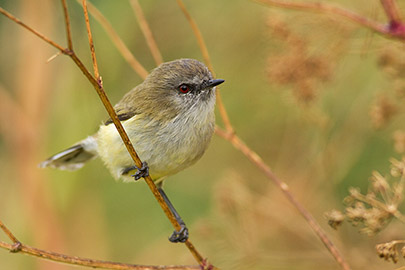
Inspired by Paul Sorrell’s talk and his wonderful pictures at our last meeting, we are going to have a field trip to the Orokonui Ecosanctuary. http://orokonui.nz/
When:Sun 13th March, 10.30am
Meeting Point: Carpark at Orokonui – please let us know if you need transport
Cost: $16 for entry (10% discount for seniors, and if we have a big enough group I think they give 10% discount)
There should be plenty to see and at 11am will be the Takahe feeding. We will spend a couple of hours wandering around and then can meet back at the visitors centre for a coffee/bite to eat.
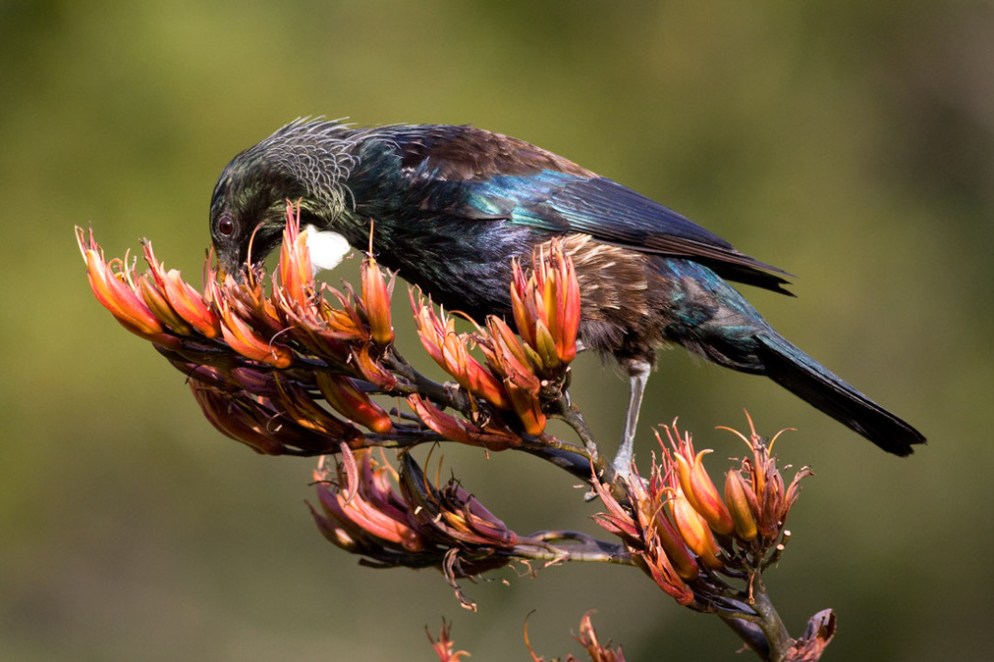
Tui on flax – Paul Sorrell
More and more cameras have built-in WiFi, and there are a number of manufacturers producing SD cards that are WiFi enabled. For $30/40 most digital cameras can be WiFi enabled.
When matching this functionality with smart phones, it becomes easy to edit and share images without the need for a computer. This comes into it’s own when away for the weekend or longer and you wish to travel light.
There are many image editing applications, some of them free. One such free application is Google’s Snapseed. A new version of Snapseed was released late last year and as well as a revamp to the appearance, two important tools have been included; an adjustment brush and a spot healing tool.
Other apps have spot healing built in, but they lack the usability or effectiveness of Snapseed, you end up having to use two applications to edit a single photo. Now it is possible to remove unwanted specs of dust, lens flare, or even the odd person within Snapseed.
An adjustment brush gives flexibility to selectively adjust areas of an image for exposure, dodge/burn, and white balance.
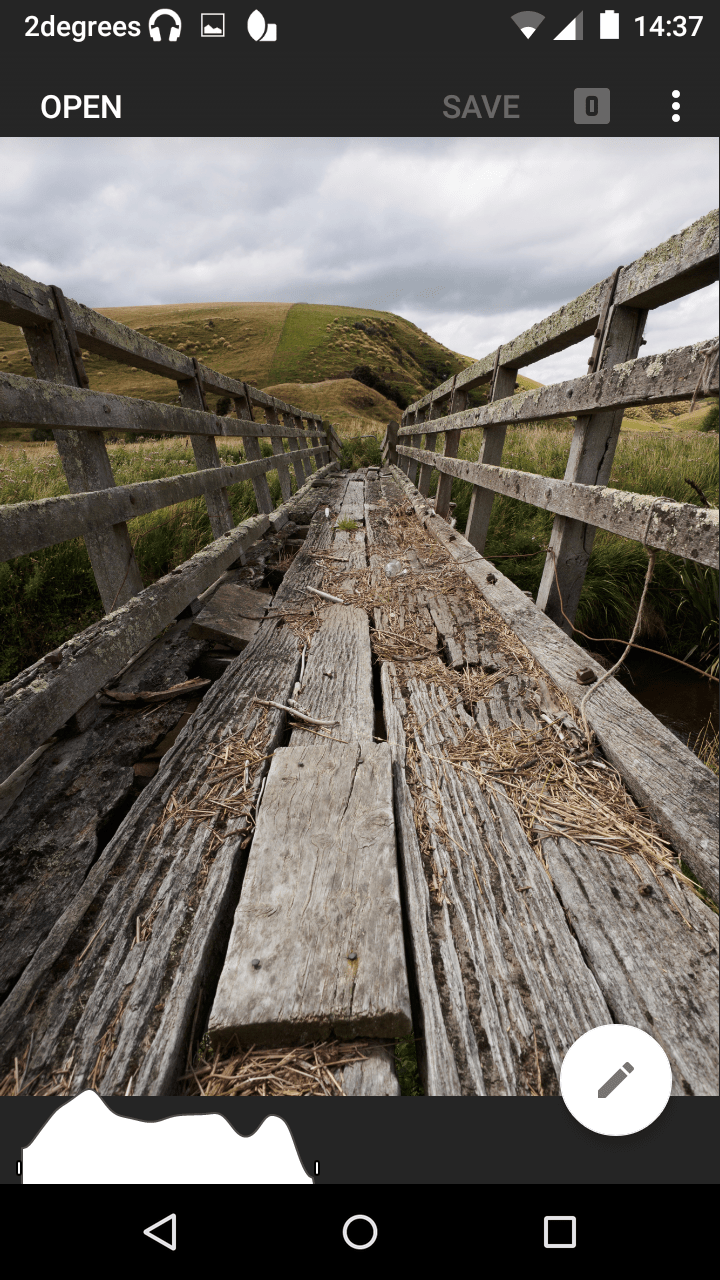
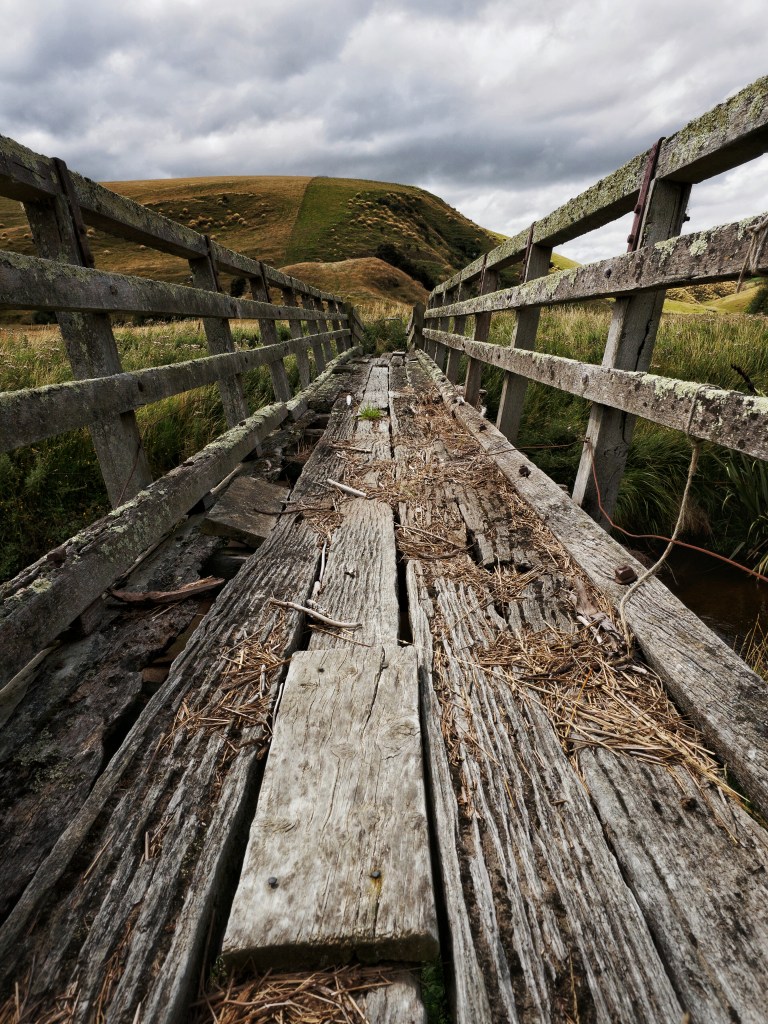
The image below was taken on a recent impromptu DPS visit to Lawrence.
Note the presence of a histogram
The 7 stages of the edit using the various features of Snapseed:
Details: added some contrast, lowered the highlights, and raised the shadows a small amount.
Tune Image: added structure and sharpened a small amount.
Brush: reduced the exposure on the clouds by a 0.3 of a stop, using my finger to paint.
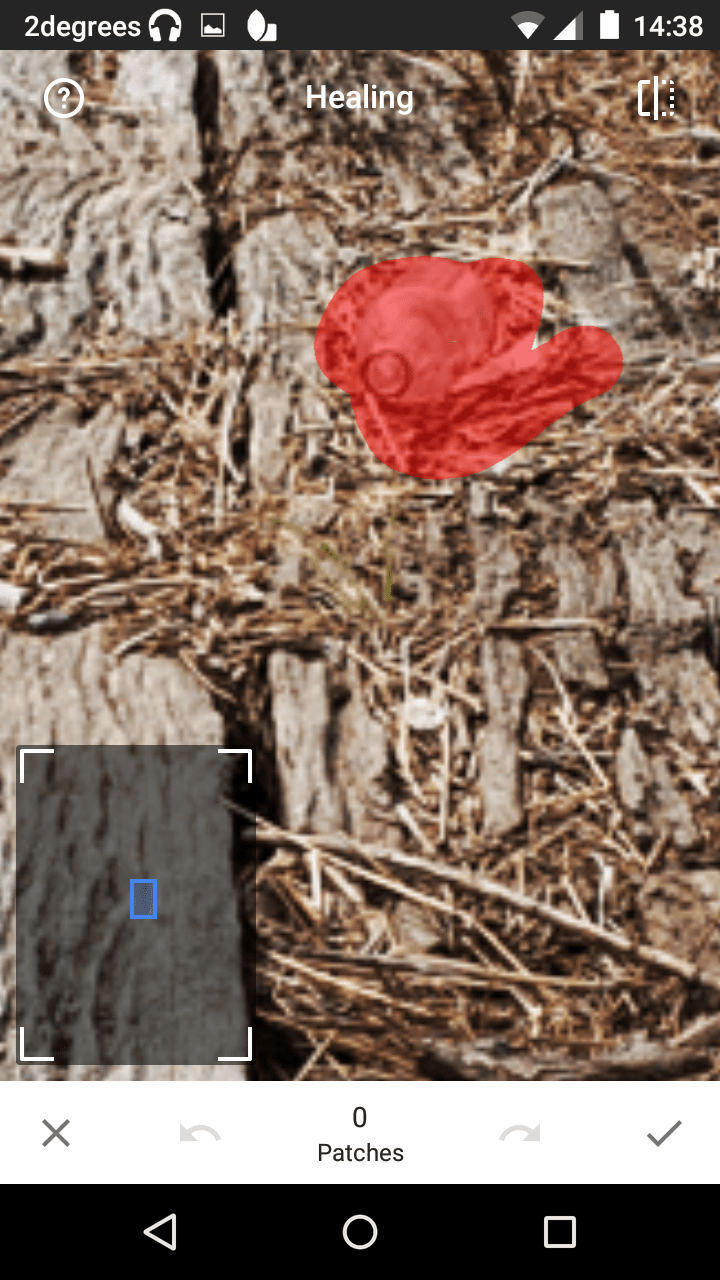
Healing: removed a bottle halfway down the bridge.
The healing tool uses a content aware approach
Vignette: added a darkening vignette. Unlike Lightroom, you can easily position the center of the vignette where you want to be.
Brush: burned the outside planks, dodged the middle plank ,painting with my finger.
Tune Image: added more contrast.
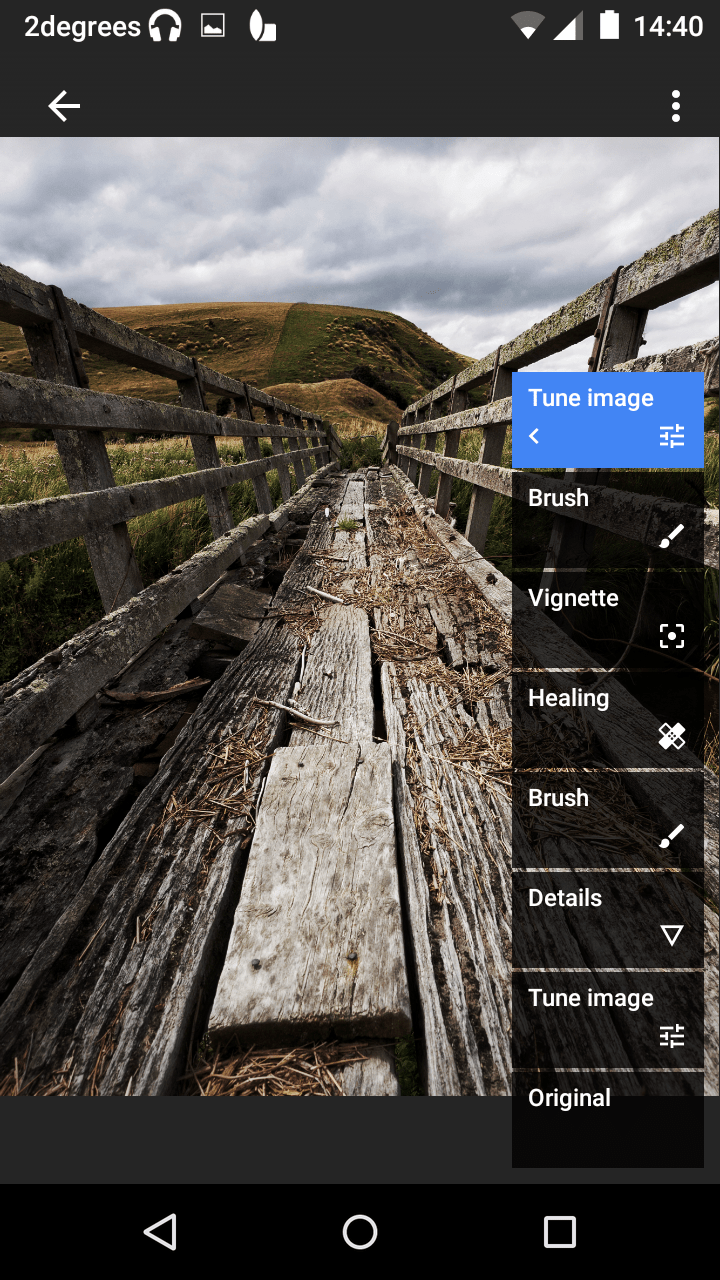
You can view all the stages of editing that you performed (as shown below), and you can also delete stages. It is also possible to go back and fine tune the edits.
The 7 edits are listed in chronological order
The saved image after the edits.
Note the presence of a histogram
There are also a range of filters and effects that can be applied in various degrees of intensity depending on your taste.
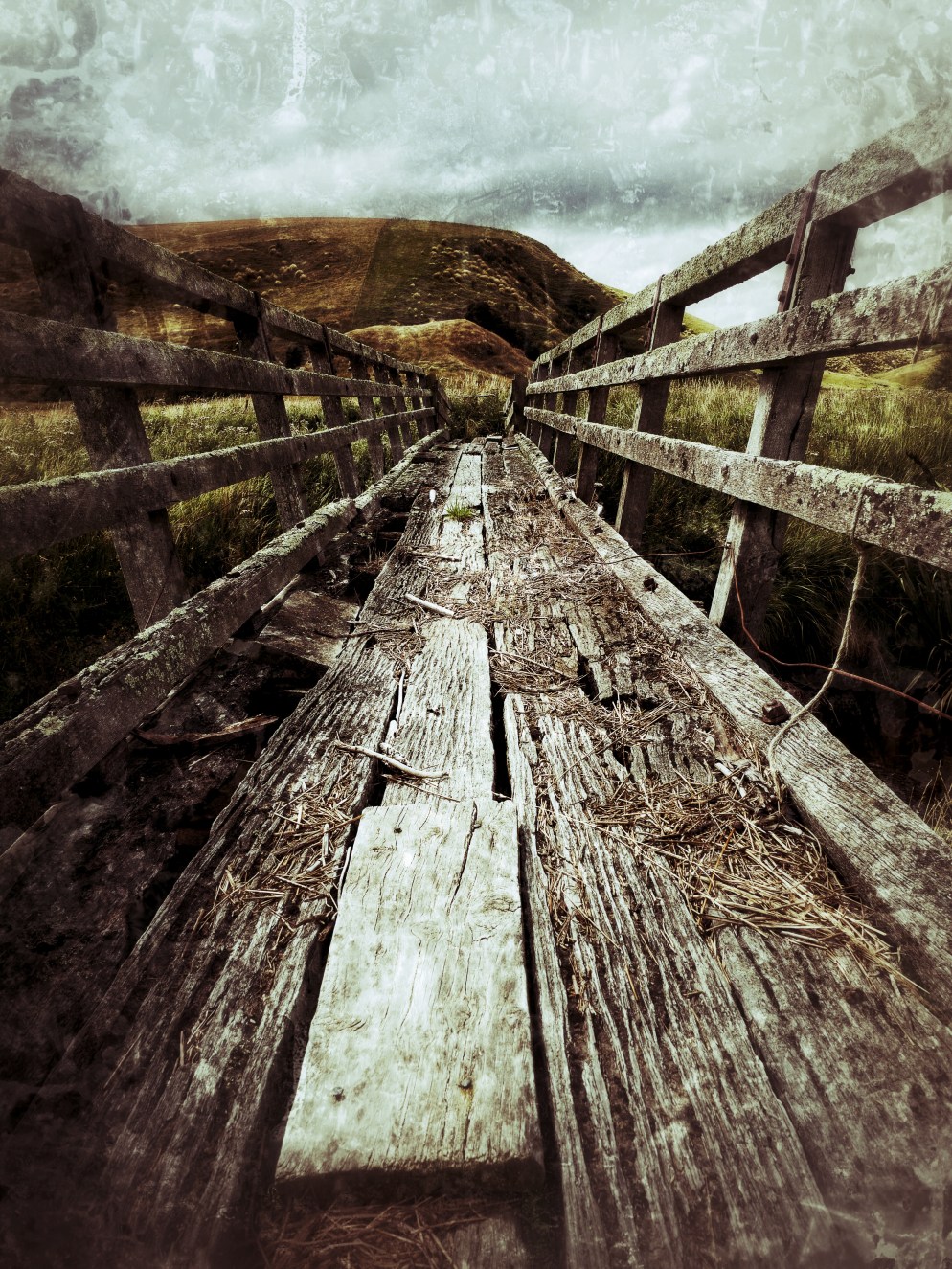
After the edits plus a grunge filter.
Snapseed does claim RAW editing functionality with DNG compatibility. I was unable to use this functionality as my phone is limited in power. This function will no doubt become a significant factor that will make editing on a mobile device more than just an on-the-go option, and could replace PC based editing altogether.
Snapseed is available for Android and iOS and can be downloaded from their respective app stores.
A host of tutorials on using Snapseed are available here.
At last! This years programme is (pretty much) finished and is available now.
The last few meetings and workshops that are still TBC (to be confirmed) will be updated as soon as possible.
We have also loaded all the meeting dates and info into our DPS Google calendar. Feel free to add this to your own Google calendar – click the link in bottom right of the calendar.
We have had a few queries as to when the 2016 programme will be ready, and I am happy to say we will have something out to members in the next few days 🙂 Thanks for your patience.
Photograph the Chinese New Year celebrations with us!
We will meet at 7pm outside the Duke of Wellington pub on Mon 8th and find a good spot to photograph the parade.
There will be plenty to see and photograph with the Dragon dance, cultural performances and food stalls at the Chinese Gardens after the parade. And, if anyone wants to stick around, there will be fireworks at 10pm.
Happy New Year everyone. I hope you have had a relaxing and enjoyable break over Christmas and a great start to the new year.
Council are in the final stages of putting the 2016 programme together – we are just waiting on confirmation of a couple of guest speakers, and then you will receive a copy via email and it will be available here on our website.
The first meeting will be on Monday 22nd Feb 7.30pm (no meeting on 8th Feb, Waitangi Day observed). Our speaker will be club member Paul Sorrell, and we will have the Projected Image of the month (theme: open).
 At last! This years programme is (pretty much) finished and is available now.
 We have had a few queries as to when the 2016 programme will be ready, and I am happy to say we will have something out to members in the next few days 🙂 Thanks for your patience.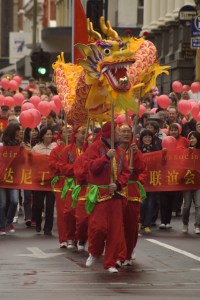
 Dunedin Photographic Society