Editing Photos with Snapseed

More and more cameras have built-in WiFi, and there are a number of manufacturers producing SD cards that are WiFi enabled. For $30/40 most digital cameras can be WiFi enabled.

When matching this functionality with smart phones, it becomes easy to edit and share images without the need for a computer. This comes into it’s own when away for the weekend or longer and you wish to travel light.

There are many image editing applications, some of them free. One such free application is Google’s Snapseed.  A new version of Snapseed was released late last year and as well as a revamp to the appearance, two important tools have been included; an adjustment brush and a spot healing tool.

Other apps have spot healing built in, but they lack the usability or effectiveness of Snapseed, you end up having to use two applications to edit a single photo. Now it is possible to remove unwanted specs of dust, lens flare, or even the odd person within Snapseed.

An adjustment brush gives flexibility to selectively adjust areas of an image for exposure, dodge/burn, and white balance.

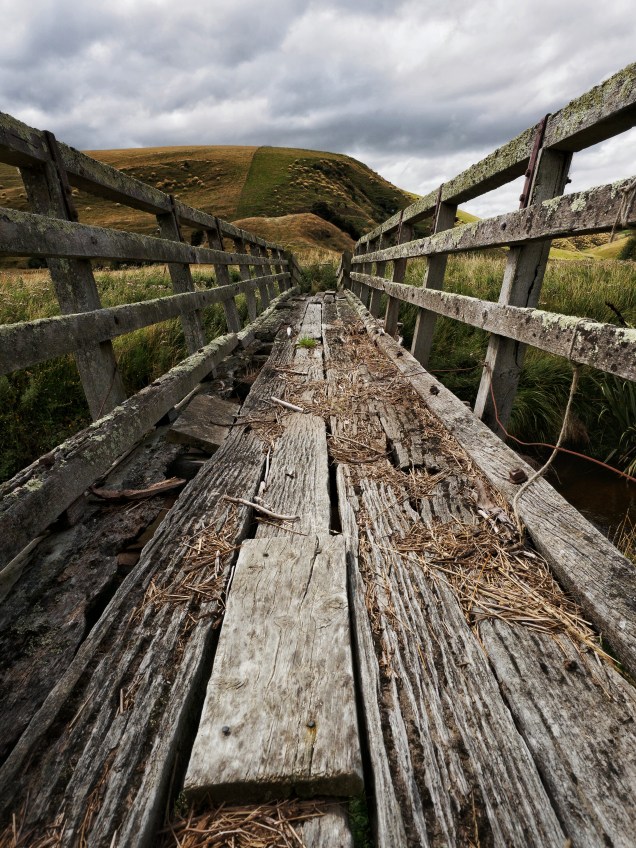
The image below was taken on a recent impromptu DPS visit to Lawrence.
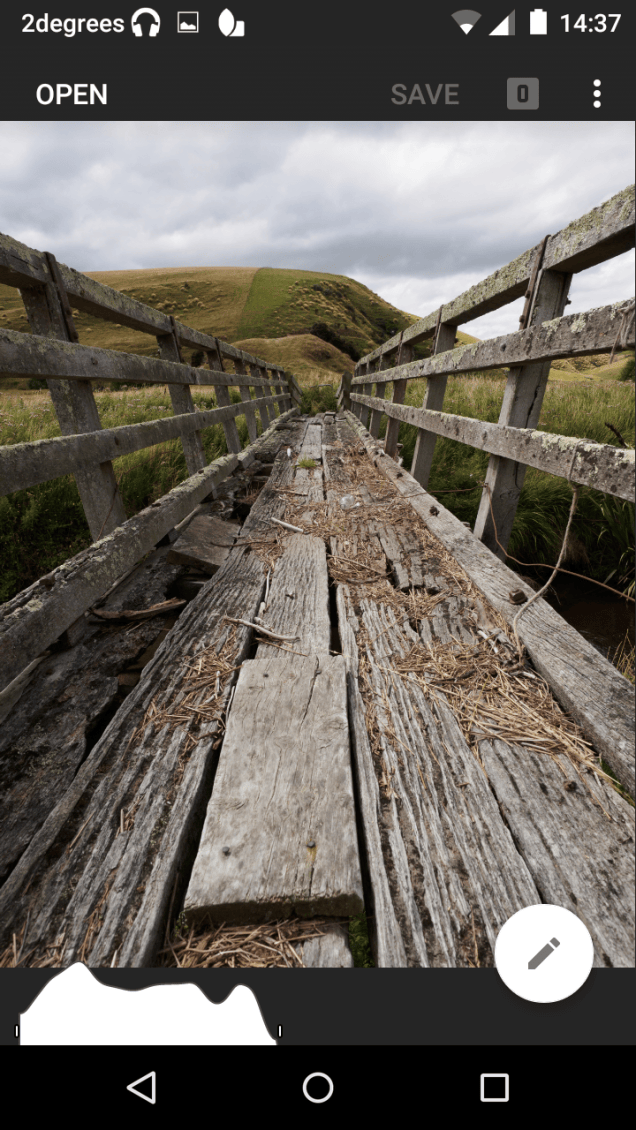
Screenshot_2016-02-28-14-37-15
Note the presence of a histogram


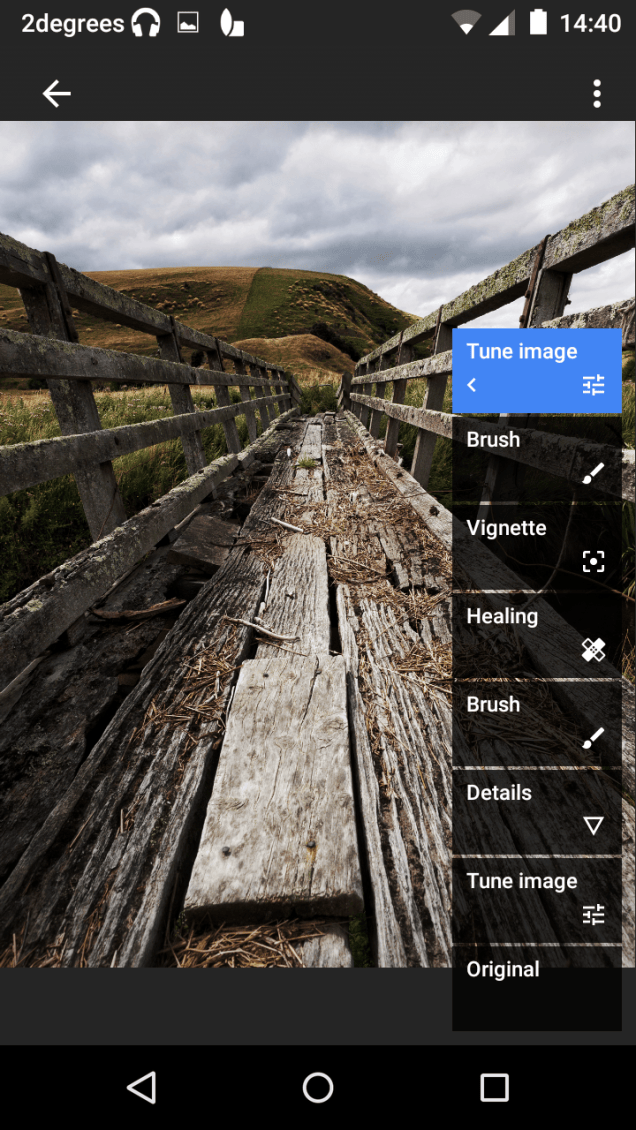
The 7 stages of the edit using the various features of Snapseed:

Details: added some contrast, lowered the highlights, and raised the shadows a small amount.

Tune Image: added structure and sharpened a small amount.

Brush: reduced the exposure on the clouds by a 0.3 of a stop, using my finger to paint.

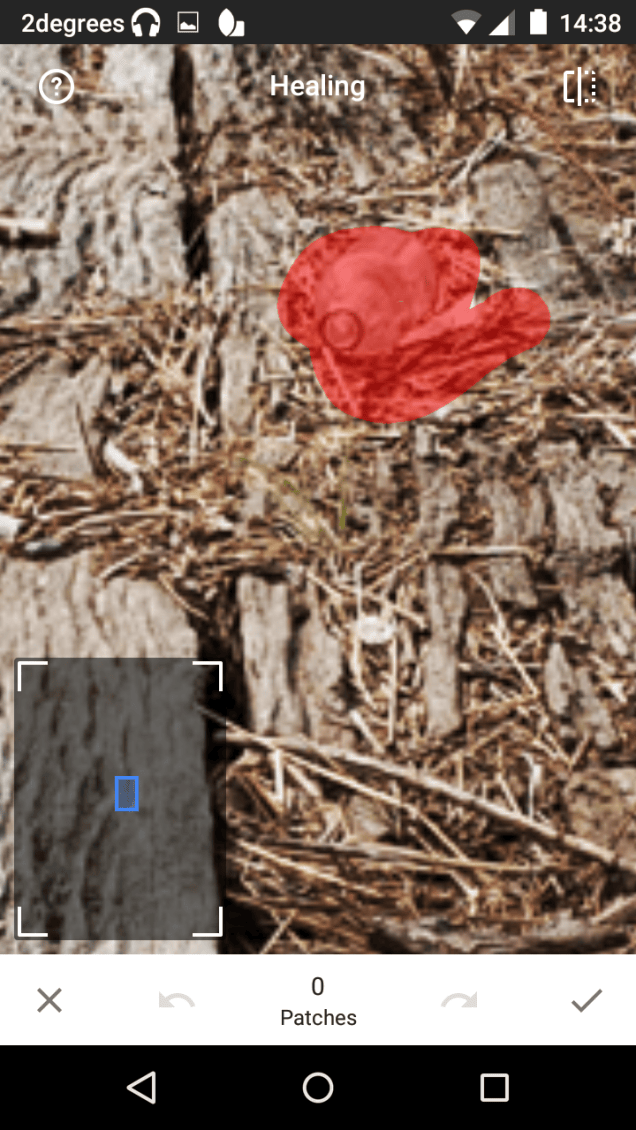
Healing: removed a bottle halfway down the bridge.
Screenshot_2016-02-28-14-38-36
The healing tool uses a content aware approach

Vignette: added a darkening vignette. Unlike Lightroom, you can easily position the center of the vignette where you want  to be.

Brush: burned the outside planks, dodged the middle plank ,painting with my finger.

Tune Image: added more contrast.

You can view all the stages of editing that you performed (as shown below), and you can also delete stages. It is also possible to go back and fine tune the edits.
Screenshot_2016-02-28-14-40-26
The 7 edits are listed in chronological order


The saved image after the edits.

OLYMPUS DIGITAL CAMERA
Note the presence of a histogram

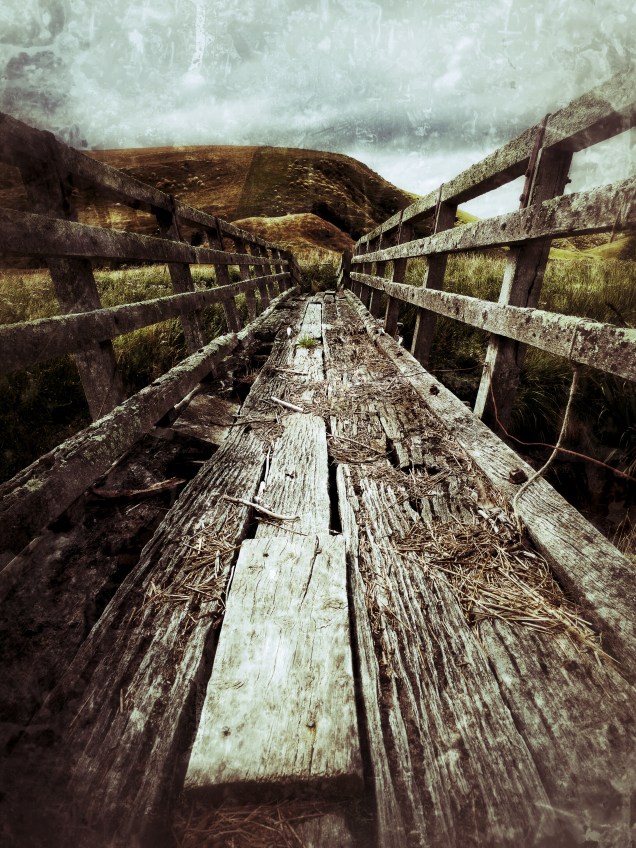
There are also a range of filters and effects that can be applied in various degrees of intensity depending on your taste.
OLYMPUS DIGITAL CAMERA
After the edits plus a grunge filter.

Snapseed does claim RAW editing functionality with DNG compatibility. I was unable to use this functionality as my phone is limited in power. This function will no doubt become a significant factor that will make editing on a mobile device more than just an on-the-go option, and could replace PC based editing altogether.

Snapseed is available for Android and iOS and can be downloaded from their respective app stores.

A host of tutorials on using Snapseed are available here.
First meeting for the year tonight

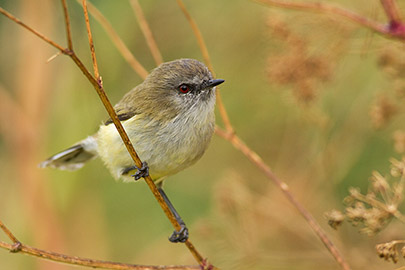
M0577 – Nature – Grey warbler portrait
Grey warbler portrait, Paul Sorrell

It’s been a bit of a slow start to the DPS year, with missing our usual first meeting of the month due to Waitangi Day being observed on Monday.

However, we are back into the swing of things tonight, and our first speaker is club member Paul Sorrell.

Come along and join us to hear about his latest projects and catch up with everyone after the long break.

See you tonight – 7.30pm at Mornington Presbyterian Community Centre, 16 Maryhill Terrace.

Photowalk: Chinese New Year

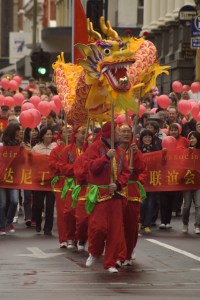
Chinese New Year 2011, Melanie Middlemiss

Photograph the Chinese New Year celebrations with us!

We will meet at 7pm outside the Duke of Wellington pub on Mon 8th and find a good spot to photograph the parade.

There will be plenty to see and photograph with the Dragon dance, cultural performances and food stalls at the Chinese Gardens after the parade. And, if anyone wants to stick around, there will be fireworks at 10pm.

http://www.dunedinchinesegarden.com/events/chinese-new-year

Happy New Year!

PC270299-Edit

Happy New Year everyone. I hope you have had a relaxing and enjoyable break over Christmas and a great start to the new year.

Council are in the final stages of putting the 2016 programme together – we are just waiting on confirmation of a couple of guest speakers, and then you will receive a copy via email and it will be available here on our website.

The first meeting will be on Monday 22nd Feb 7.30pm (no meeting on 8th Feb, Waitangi Day observed).  Our speaker will be club member Paul Sorrell, and we will have the Projected Image of the month (theme: open).

Results of 46th Dunedin Festival of Photography

The doors have closed on another successful Dunedin Festival of Photography.  This is mostly due to the fantastic images that were entered and the great job the selectors did in putting together the collection of images for the print and projected exhibitions.

This year we had a total of 839 images (print and projected) from 94 entrants.  The final print and projected exhibitions comprised 355 accepted images.  Congratulations go to all the entrants who had images accepted, and in particular to those who were selected for honours and champion awards.

Full AVs of the exhibition are available:

Print http://www.youtube.com/watch?v=PCoZGny0EWE

Projected images http://www.youtube.com/watch?v=Vi4C_Srm70c

This slideshow requires JavaScript.

46th Dunedin Festival of Photography

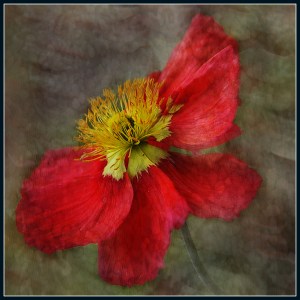
2014 Champion Projected Image: Popping Poppy - Susie Hare, Karaka
2014 Champion Projected Image: Popping Poppy – Susie Hare, Karaka

Entries are now open for the 46th Dunedin Festival of Photography.

This Festival is open to all New Zealand residents and financial members of PSNZ affiliated camera clubs. There are eight sections:

  • Prints: Open, Natural History, Monochrome, and Portraiture
  • Projected Images: Open, Natural History, Monochrome, and Portraiture

Entries must be made using the online entry form.  More information is available from our website.

Celebrating 125 Years

This weekend the Dunedin Photographic Society celebrates 125 years.

In March 1890 a small group of enthusiastic photographers formed the Dunedin Photographic Society with the firm intention of encouraging amateur pictorial photography.  Today, 125 years later, the group is larger and more diverse, but the intent of fostering enthusiastic amateur photographers continues.

The Society has a long history in the local, national and international photographic community.  Aside from being arguably the longest continuously running photographic society in the Southern Hemisphere, it has contributed to the community through the organisation of many exhibitions; the Society organised its 1st Annual Exhibition in 1890, the first NZ Interclub Competition in 1920, and in 1925 the 1st International Salon of Photography.  The success of the Society can also be gauged by the success of its members who have been awarded many national and international honours over the years.

Over the next couple of days the Society will celebrate with several events:

  • Friday 27th: an official opening of the 125th Anniversary Exhibition
  • Saturday 28th: a photowalk around the historic buildings in the city, including a tour of the old Dunedin Prison
  • Saturday 28th: an informal dinner for members and friends of the Society.
  • 28th March – 6th April: the 125th Anniversary Exhibition.  Open to the public, 10-6pm at the Dunedin Community Gallery. <Eventfinda Link>

The 125th Anniversary Exhibition celebrates the photographers who have come before us and have left a fine legacy for current members and the wider community to enjoy. The Society holds a permanent collection from members in the Hocken Library, and this exhibition contains a selection of those prints for you to enjoy.  We also celebrate the current members who continue in the light of the founders to foster and encourage amateur photography.  This exhibition comprises small personal exhibitions from 21 current Dunedin Photographic Society members.

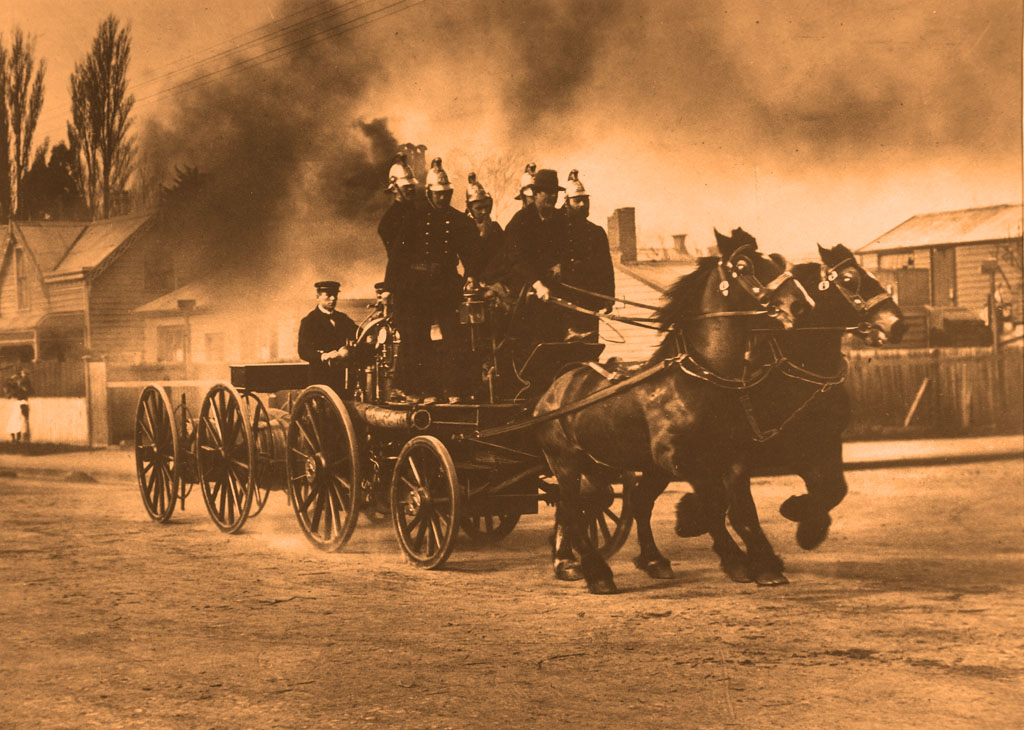
Christchurch Fire Brigade (1899) by J.N.Taylor